
Obsidian to Podcast: Turn Your Vault Notes into Audio You Can Listen Anywhere
If you use Obsidian seriously, there’s a lot in your vault. Clipped articles with your own notes on them. Drafts you wrote yourself. Highlights flowing in from Readwise, Kindle, Hypothesis, whatever you read in. It’s all there. The catch is it’s all stuck behind a screen. The moment you stand up, the vault stops being useful to you.
This is a workflow for turning that stuff into a private podcast feed, so the notes you spent time on can follow you out of the room.
Why listening to your Obsidian notes is different from reading them
Vaults are built for capture and search. They aren’t really built for going back through. Most people clip way more than they re-read and write way more than they revisit. Audio fixes that quietly.
A 25-minute walk is 25 minutes those notes actually get heard again, which beats the zero minutes they were getting before. And because they already have your annotations baked in, you’re not really re-listening to the article. You’re listening to what you were thinking when you read it. That’s a different experience.
The other thing is just hours. Commute, gym, dishes — none of these were ever going to be reading time. They can be listening time.
If you want the broader case for why people are switching from reading to listening, we wrote about that here: how to listen to any article like a podcast.
Why Obsidian’s TTS plugins fall short
There are a few community plugins that read notes aloud inside Obsidian. They’re fine for a quick paragraph. For an actual 20-minute listen, they fall apart.
They read Markdown literally. Wiki links come out as “left bracket left bracket.” Headings get weird pauses. Dataview blocks turn into garbage. The voices sound like a 2010 GPS unit, which is bearable for thirty seconds and tiring after five minutes. And the audio stays trapped inside Obsidian. You can’t subscribe in Apple Podcasts, Pocket Casts, or Overcast, and nothing syncs to your phone.
What you actually want is something that understands the structure of a Markdown file, rewrites it so it makes sense spoken, uses a voice that doesn’t make you wince, and drops the result into whatever podcast app you already open every day.
The workflow, from vault to podcast feed
Step 1: get the note out of Obsidian
The .md file in your vault is already the export. Just find it in Finder or your file browser, or use Obsidian’s Show in system explorer option on the note.
Two things worth doing before you upload. Clean out frontmatter, Dataview queries, and big tag blocks. They don’t read out loud well, and they eat into your listening time. And if a note is huge, split it. Anything past 25 minutes of audio starts to feel like a lecture, and you won’t go back to it.
Step 2: upload to OmniAudio
- Go to https://podcast.omniaudio.info/
- Click Add Content, then Upload file
- Pick your
.mdfile - Choose a target language and a reading style (single voice or conversational)
- Confirm
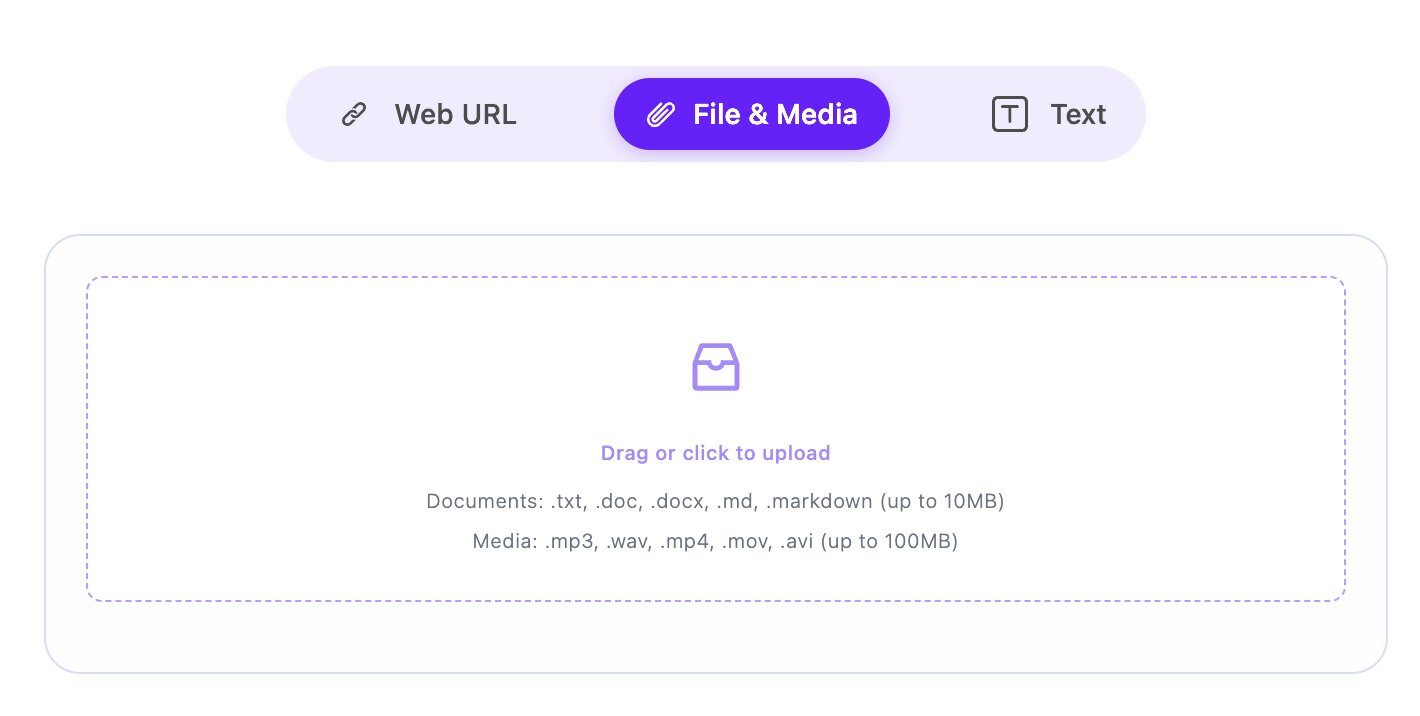
OmniAudio doesn’t just read the file out. There’s an AI pass first that rewrites the text so it actually works as something you’d listen to. Long sentences get broken up. Awkward written-only phrasing gets smoothed. Then it gets synthesized in a natural voice. You’ll get an email when the episode’s ready. The full mechanics are in our Markdown to podcast guide.
Step 3: subscribe in your podcast app
The output isn’t trapped on our site. Your account comes with a private RSS feed you can drop into Apple Podcasts, Pocket Casts, Overcast, Spotify, or anywhere else. Step-by-step here: how to subscribe to OmniAudio in Apple Podcast, Pocket Casts, and more.
What people actually use this for
Web Clipper saves, with your annotations included. Obsidian Web Clipper is the read-later tool of choice for a lot of vault users. Articles come in with your highlights, margin notes, and takeaways already attached. The honest problem is that most of these never get reopened. Convert the whole annotated piece to audio and the version you listen to is genuinely better than the original. The parts you cared about are there, and so is what you were thinking at the time.
Long-form writing you do inside Obsidian. A lot of writers draft straight into their vault now. Blog posts, newsletters, essays, research notes. The interesting move is listening to those before you publish. It catches awkward rhythm and over-written sentences faster than reading the screen does, and it makes you sit with your own argument one more time before it goes out. People who do this regularly say they cut something every time.
Notes and highlights from the rest of your reading stack. Obsidian’s real advantage is what feeds into it. Readwise, Kindle, Hypothesis, Matter, Reader, Zotero, Pocket, Instapaper. Almost every reading and highlighting tool can route content back into the vault. So Obsidian is already where everything lands. The next step is just letting all of that come back out as audio, in one feed, in your podcast app.
Study material you actually want to remember. Book notes, paper summaries, course notes. The kind of thing that only sticks with repetition. Bundle a book or a course into one episode, let it play on a run or while you cook, and three or four passes later it’s in there. Reading it once won’t get you to the same place.
A few things that make the audio better
Strip frontmatter, Dataview, and big tag blocks before you upload. They don’t read out loud well, and they eat into the listening time.
Keep your heading depth shallow. H4 and deeper tend to get flattened when narrated, and the structure stops doing anything.
If a note mixes languages, pick one as the target. The voice stays more stable that way.
For clipped articles where you’ve added your own annotations, try the conversational reading style. Two voices handle “original author plus you” much better than one voice trying to do both.
FAQ
Can I convert my entire vault at once?
Not right now. OmniAudio takes Markdown files one at a time, and there’s no folder or batch upload. You upload one .md file per episode. In practice this works out fine — a whole vault as one episode would be unmanageable anyway, and uploading note by note gives you a feed with real episodes you can browse.
Does it keep [[wiki links]]?
The link text gets read out. The bracket syntax gets dropped. The linked-to note isn’t followed — only the file you uploaded gets converted.
What about Dataview queries and embeds? Dataview doesn’t translate to audio cleanly. Strip those blocks before uploading, or accept that they’ll come out wrong.
Is there an Obsidian plugin? Not yet. For now you upload through the web app. A plugin is on the list. If you’d actually use it, tell us — it helps with prioritization.
How is this different from the TTS plugins inside Obsidian? The text gets rewritten for listening before it gets read out, so it doesn’t sound like someone reciting a document. And the output is a real podcast feed, so you can listen in whatever app you already use instead of being stuck inside Obsidian.
Take your vault with you
Obsidian is good at getting things in. It’s not very good at getting them back out when you’re not at the desk. That’s the gap this fills.
Easiest way to try it: pick one article you clipped a while back and never went back to, upload the file, and listen to it on your next walk. Start with OmniAudio.
For the broader picture across Markdown tools generally, the pillar piece is here: Listen to notes — turn your Markdown file into audio content with OmniAudio.